How to Spot a Fake Website in 15 Seconds
A quick, practical guide to avoiding scams and staying safe online
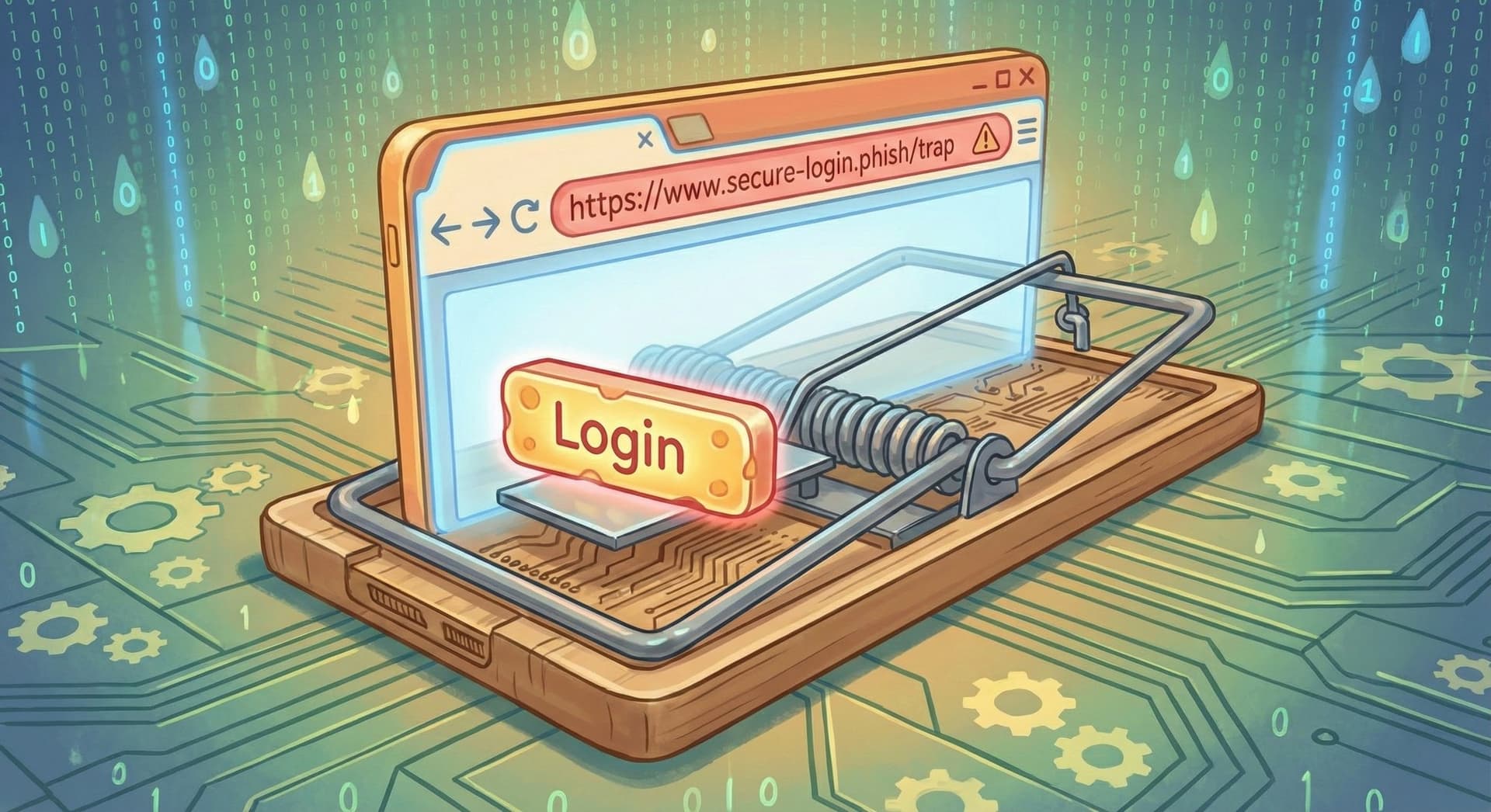
Catching a scam website doesn’t have to take much time or technical skill. With a few quick checks, you can spot red flags before you click, buy, or share anything. Here’s a simple 15-second routine you can use anytime you open a site that is asking for personal information or passwords.
Missed a newsletter or want to see previous issues? View them anytime here:
What’s Going On
Scammers create websites that look real but aim to steal money, passwords, or personal information from visitors. These fake sites often emulate the look of trusted brands, copying everything from the logo to the color scheme. However, there is some good news: because they are mass-produced quickly, these spoof websites almost always slip up in predictable ways.
Why It Matters
The stakes are higher than just a nuisance. A single visit to a scam site can lead to stolen credit cards, malware installation, or full identity theft. By learning these quick checks, you aren’t just protecting your computer; you are protecting your finances and your digital identity. Let’s take a look at how you can spot the fakers.
Your 15-Second Checklist
Run through these steps every time you visit a website that wants to handle your personal data—passwords, payment methods, social security numbers, etc. With a little practice, these checks will start to feel automatic.
1. Look at the address bar at the top of your screen
This is your first line of defense. Does the web address (URL) match what you expect?

Watch for hidden typos: Scammers rely on your brain correcting small errors in the website address. These can trick you into thinking you’re on a legitimate website, but the link is not correct. Look closely in the website address for misspellings like
amazzon.com,netfl1x.net, orpaypaI.com(using a capital “I” instead of a lowercase “L”).Check the ending: Big companies don’t use odd endings like
.xyzor.shopfor their main login pages. The most common endings to see are.comand.netfor commercial websites,.orgfor non-profit websites, and.govfor official websites of the United States government. If you see a bank using.cashor a retail store using.biz, be suspicious.Analyze the Domain Structure: Be wary of extra words added to the URL, such as
amazon-support-help.com. Real companies put the function before the main name (e.g.,support.amazon.com), and it’s rare to ever see hyphens in use.
2. Check for the lock icon
A small padlock at the top left of your browser means the site uses a secure connection. This means no one can spy on the data you send to the site, but it doesn’t guarantee the person receiving that data isn’t a scammer. Scammers can buy “secure” certificates, too.
If you are visiting a site you expect to be secure—like a bank or healthcare portal—and your browser shows a warning that the site isn’t private, this is a strong indicator you are on a scam website.
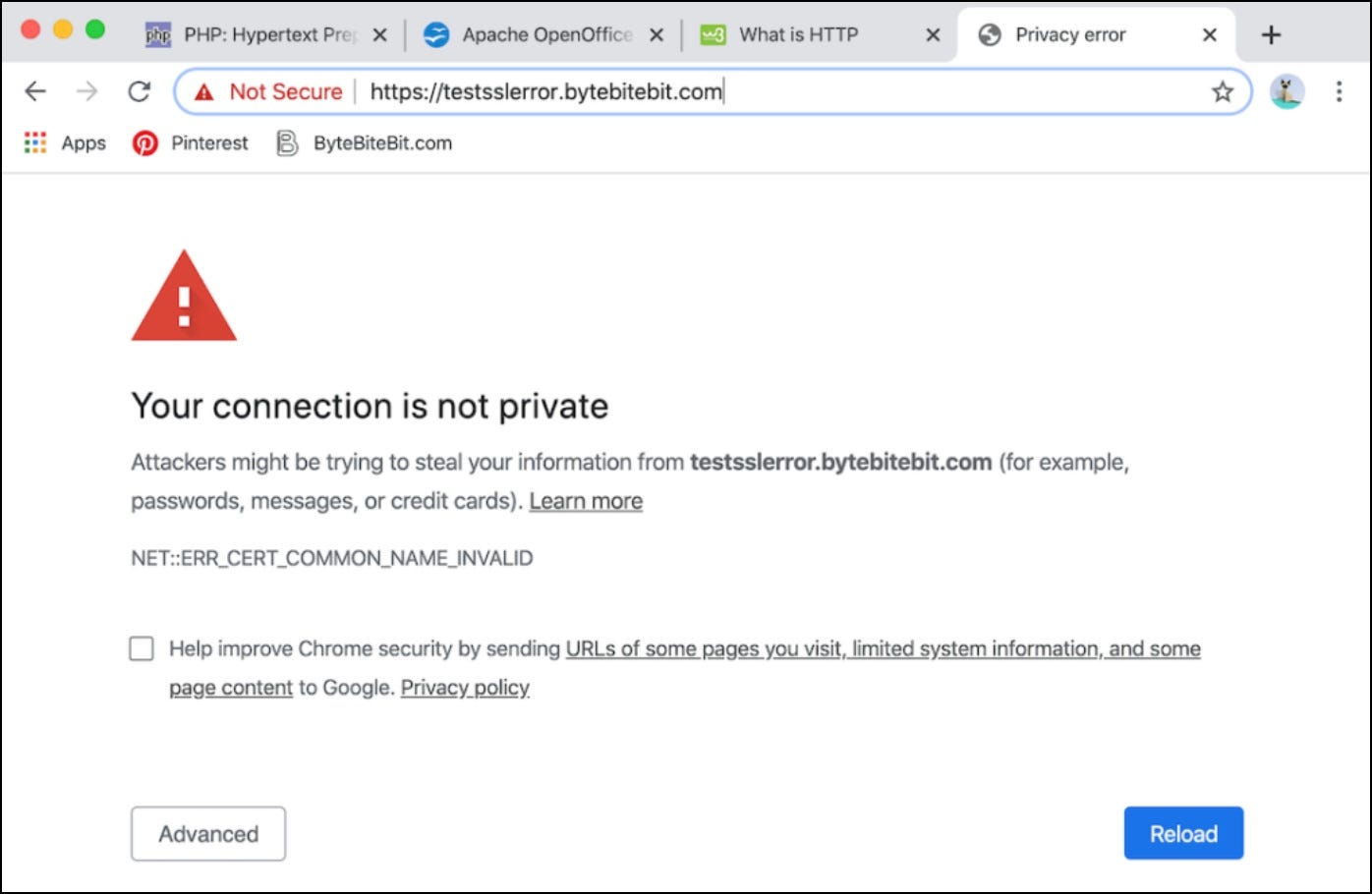
The Reality Check: Remember that a lock alone does not mean the site is trustworthy. Be sure to check for other signs listed in this guide.
3. Scan for sloppy design
Legitimate companies spend millions on their websites to make them look attractive and easy to use. On the other hand, scam sites often appear with errors, such as:
Blurry or Pixelated Logos: Images that look like they were copied and pasted.
Strange spacing and Formatting: Text that overlaps or is hard to read.
Odd colors: Branding colors that are the wrong color.
Poor Grammar: Sentences that read awkwardly or contain spelling errors, often a sign of translation software.
Annoying Pop-ups: Windows begging you to “Claim Your Reward” or spin a prize wheel immediately upon entry.
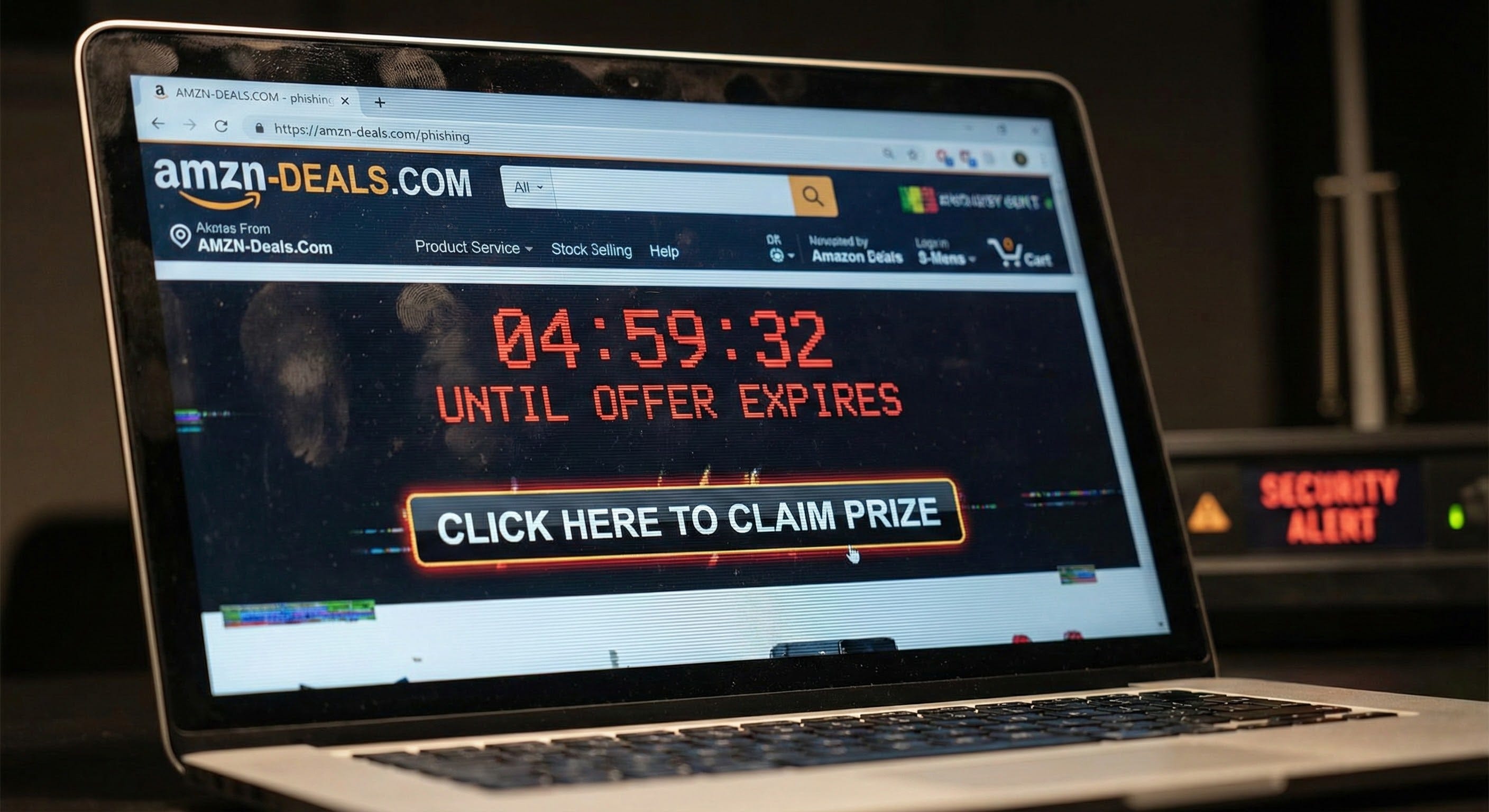
If it feels off or unprofessional, trust that instinct.
4. Look for pressure language
Scammers want you to act before you think. Real companies don’t rush you with dramatic, fearful messages like:
“Your account will close in 1 HOUR!”
“FINAL chance to avoid arrest!”
“Only 2 items left at this price!” (when the price is unbelievably low).
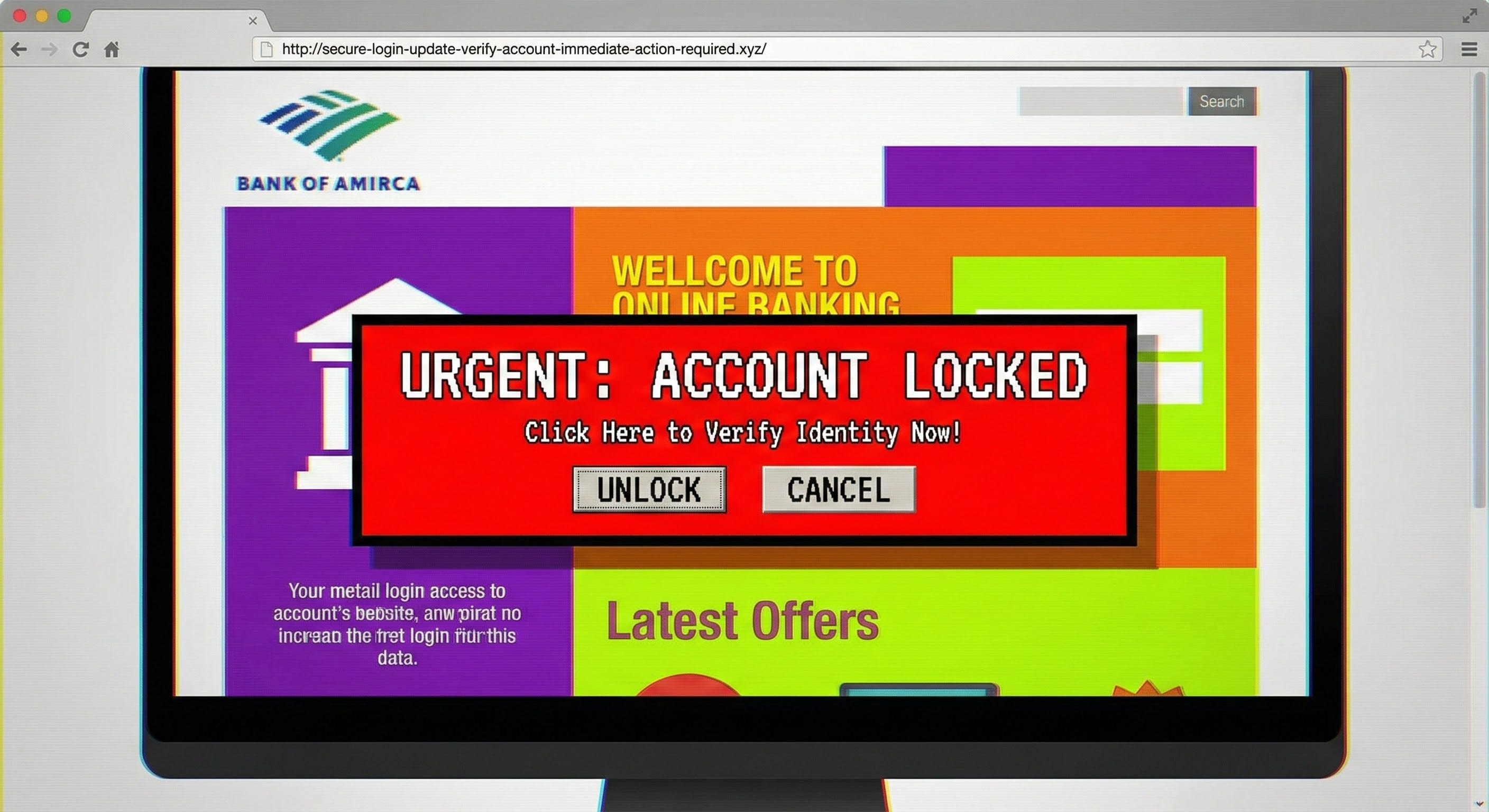
If you see a message that makes you feel pressured to do something, take a breath first and check the steps in this guide. The rule of thumb is: Pressure = scam.
5. Skip to the bottom of the page
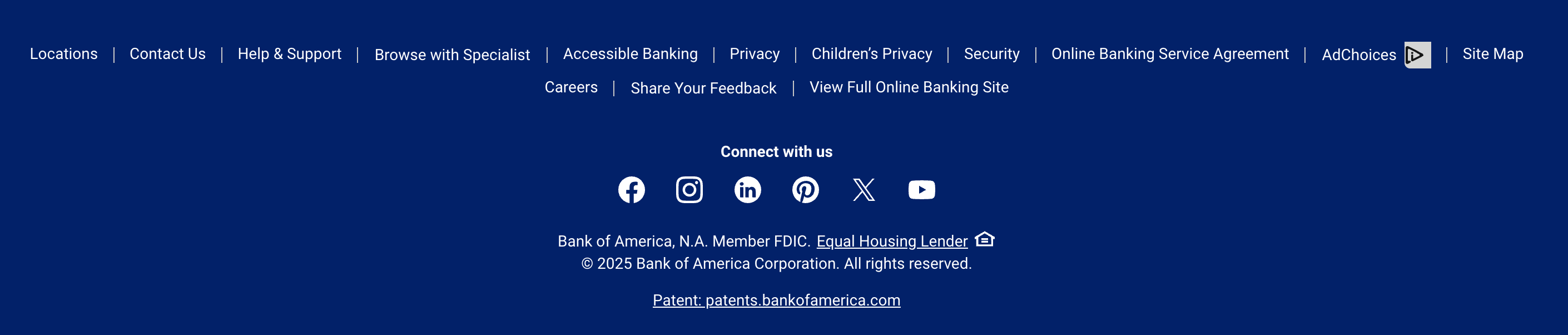
The footer (the very bottom of the page) is often where scammers get lazy. Legitimate sites list clear details here, like:
Physical contact info of the company or organization (an address and phone number).
About Us, Privacy Policy, and Terms of Service links.
Active Social Media Links: Check the Facebook or Twitter icons. On scam sites, these icons often aren’t clickable, or they just reload the current page rather than taking you to a legitimate social profile.
Copyright Date: If the copyright date at the bottom says “2019” and it is currently 2025, the site is likely neglected or fake.
A missing footer or broken links is a big warning sign.
What You Can Do Next
If something still feels off, take one of these safe steps:
Type the site address yourself: Instead of clicking a link in an email or text, open your browser and type the official website address yourself. Does it look the same? If not, your original link is a fake.
Search the company name + “scam”: If others were tricked, you’ll see warnings, bad reviews, or forum discussions quickly.
Use a password manager: These tools are excellent scam detectors. A password manager won’t autofill your credentials on a fake site because the web address won’t match the one stored in your vault.
Stop and back out: Your best tool is hesitation. Trust your instincts if something feels wrong, especially when pressure tactics are involved. When in doubt, simply close your browser window.
Tech Term Explained
URL (Uniform Resource Locator): A URL is simply the website’s specific “street address” on the internet, like “google.com”. Scammers change small parts of it to fool you—this is called “spoofing.” Always read the URL slowly, from left to right, focusing on the text immediately before the .com or .org.
Did You Know?
Some scam websites last only a few hours. Scammers use automation to spin up new sites every day because it’s cheap and fast. By the time authorities shut one down, the scammer has already moved to a new website. That’s why your quick 15-second check is so powerful—it protects you even from brand-new scams that antivirus software hasn’t identified yet.
You’ve Got This
Spotting fake websites becomes second nature with practice. A quick glance at the address bar, a look for pressure language, and a feel for the page design go a long way. Remember: you can always get a second pair of eyes from a friend—two heads are often better than one. Nice work keeping yourself safe online!
Have a safe and secure week ahead,
Steve