Avoiding Phishing Scams (and Keeping Your Money Safe)
Hello Herald Readers,
Steve here! You'll notice The Hotline Herald looks a little different this week—that's because we've just launched our new website, and the Hotline Herald is part of it! You can still expect the same weekly tech tips as usual, but with a brand-new look. Interested in getting personalized tech help? Visit us at Hotline.net to learn more.
Now let’s take a deeper look at phishing scams—one of the biggest everyday threats online.
First, let me tell you a secret: Phishing scams are not about technology skills. You don't get tricked because you are "bad at computers." They are about human behavior.
Scammers know exactly how to push our emotional buttons—fear, curiosity, and helpfulness. That means anyone can be targeted, whether they are 19 or 90.
The goal of this guide is simple: To help you spot scams early, avoid costly mistakes, and feel confident handling those suspicious messages.
What Is a Phishing Scam?
A phishing scam is a fake message designed to look 100% real. It pretends to come from someone you trust, like your bank, a favorite store, or even a friend.
That message might arrive as:
- An email in your inbox.
- A text message on your phone (often called "Smishing").
- A phone call (often called "Vishing").
- A social media message or popup.
The scammer wants you to do one of three things:
- Click a link (which takes you to a fake website).
- Open an attachment (which might install a virus).
- Share private information (like passwords or credit card numbers).
Once that happens, they use that info to steal money, take over accounts, or install harmful software.
Why Phishing Scams Feel So Convincing
Scammers do not guess randomly. They copy real companies perfectly. They use the same logos, the same colors, and even the same font style as the real emails you get every day.
They often pretend to be:
- Major Retailers: (Amazon, Walmart, Costco)
- Streaming Services: (Netflix, Disney+, Hulu)
- Government Agencies: (The IRS, Social Security Administration, Medicare)
- Your bank or credit card company
- Delivery services (UPS, FedEx, USPS)
They design messages to trigger fear, urgency, or curiosity.
- "Your payment failed!" (Fear)
- "Your package is lost!" (Urgency)
- "You won a gift card!" (Curiosity)
When emotions rise, judgment drops. That is exactly what scammers want. Let's look at some examples.
Common Types of Phishing Scams
Here are the scripts they use most often. If you see these, your "Scam Radar" should beep loudly.
1. Account Warning Scams
These claim there is a critical problem to panic you.
- “Your account has been locked due to suspicious activity.”
- “We noticed a login from Russia. Click here to verify it was you.”
- “Verify your identity now to avoid suspension.”
2. Delivery and Order Scams
These pretend a package is delayed or missing—very common during holidays.
- “Your delivery could not be completed. Pay $1.99 re-delivery fee.”
- “We cannot find your house. Click here to update your address.”
3. Payment or Refund Scams
These claim you owe money or are owed money.
- “Final notice: Tax payment required immediately.”
- “You have a refund pending! Confirm your bank details to receive it.”
4. The "One-Time Code" Scam
This is a newer, tricky one. A person might call or text you claiming to be your bank. They will say:
- "We are sending a code to your phone to stop a hacker. Please read it to me."
- The Truth: They are actually trying to log into your account, and they need that code to break in. Never share a code sent to your phone. If someone asks you for a code over the phone, hang up immediately.
The Most Important Red Flags
If you notice any one of these signs, stop and slow down.
1. Urgent or Threatening Language
Real companies do not pressure you with fear. If a message says "Act now," "Final warning," or "Immediate action required," it is likely a scam.
2. Unexpected Messages
If you didn’t order a package, why is UPS texting you? If you didn't try to reset your password, why is Facebook emailing you? If you didn't ask for it, be suspicious.
3. Strange Sender Details
Look closely at the email address or phone number.
- The Name: It might say "Amazon Support," but the email address is long or doesn't look quite right:
amazon-help-desk@gmail.comorsupport@amazon-secure-123.net. - The Number: A text from a "Bank" coming from a normal 10-digit cell phone number is usually fake.
4. Requests for Private Information
No legitimate company will ever ask for:
- Your Password
- A One-time security code
- Your full Social Security number
- Your Banking PIN
5. Links That Look "Almost" Right
Scammers use "Typosquatting." They buy web addresses that look very similar to real ones.
paypa1.com(Number 1 instead of letter L)netflIx.com(Capital i instead of L)amazon-support-team.com(Real Amazon links usually start withamazon.com/)
Always look closely at links and email addresses for these tiny typos designed to trick you.
What You Should Do When You Get a Suspicious Message
Follow these steps every time.
Step 1: Do Not Click Anything
Links and attachments are the trap. Don't touch them.
Step 2: Pause and Read Slowly
Take a breath. Ask yourself:
- Was I expecting this?
- Does this message make sense?
- Is the grammar slightly off?
Step 3: Check the Source Independently
This is the golden rule. Go around the message.
- Don't use the phone number in the email.
- Do look at the back of your credit card and call that number. Your real bank will verify if you have any alerts on your account.
- Don't click the link to "View Account."
- Do open a new web browser and type
www.amazon.com(or your bank's site) yourself to check for alerts.
Step 4: Delete or Report
- Email: Mark as Spam in your email app.
- Text message: Report the message as "Junk" and delete it from your phone.
What to Do If You Already Clicked
Mistakes happen. What matters is acting quickly.
- Disconnect: Turn off your Wi-Fi or shut down your computer to stop any software from downloading.
- Change Passwords: Immediately change the password for the account you think was compromised (and any other accounts that use the same password).
- Call the Bank: If you entered credit card info, call your bank immediately to freeze the card.
- Watch Accounts: Keep an eye on your statements for strange charges.
The sooner you respond, the more damage you can prevent.
Tech Term Explained
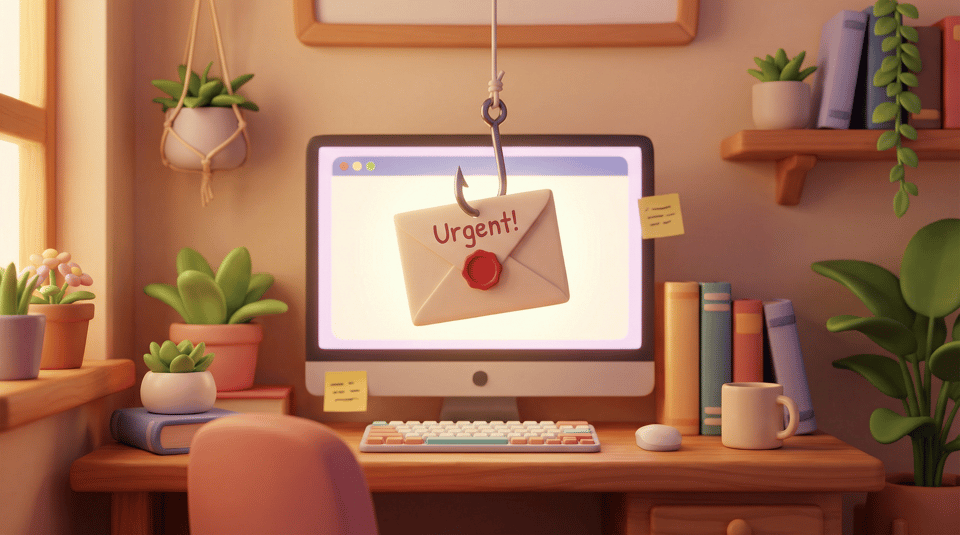
Phishing (pronounced "Fishing") A type of scam where criminals impersonate trusted organizations to "fish" for personal information, money, or passwords.
Why is it called Phishing? Think of it like fishing in a lake. The scammer puts "bait" in the water (a fake email). They don't know who will bite, but they know if they leave the bait out long enough, someone will eventually get hooked.
Did You Know?
- It's a numbers game: Most phishing messages are sent automatically to millions of people at once. The scammer doesn't know you personally.
- Low success rate is okay: Scammers succeed even if only 0.1% of people respond. That's why they send so many.
- Being cautious is not being paranoid: In the digital age, being skeptical is just being smart!
The Bottom Line
If a message creates fear, pressure, or confusion, stop.
Legitimate companies give you time to think. Scammers do not. You are not "behind" on technology. You are simply learning the new rules of the road.
Nice work protecting yourself online. Have questions about phishing or keeping yourself safe online? Email me at steve@hotline.net and I'll give you a hand!
Have a safe and secure week,
Steve