How to Clean Your Phone, iPad, or Laptop (Safely)
Learn how to clean your screens gently, smudge-free and without damaging them.
Let’s talk about something simple—but important.
Cleaning your digital screens without damaging them.
Your phone, tablet, and laptop get touched all day. Fingers, food, pockets, purses—yep, it adds up. In fact, some studies say our phones carry more bacteria than a doorknob!
The good news? You don’t need fancy sprays or expensive "tech cleaning kits." You can clean your devices safely with things you likely already have at home.
Let’s keep this easy, stress-free, and device-safe.
What’s Going On
Modern screens look like plain glass, but they are actually coated with a special layer.
This invisible coating helps with:
- Reducing glare from the sun.
- Repelling fingerprints and oil.
- Making your swipes feel smooth.
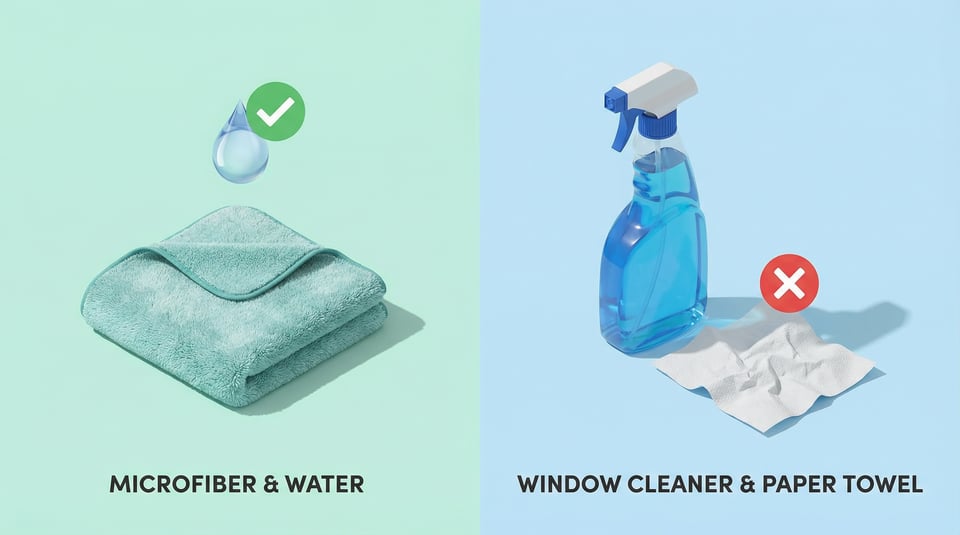
If you use harsh cleaners (like window cleaner), you strip that coating away. Once it’s gone, it’s gone, and your screen will stay smudgy forever. That’s why the right method matters.
What You’ll Need (Simple & DIY)
You only need three things:
- A Microfiber Cloth: This is the soft, silky cloth you get with a new pair of eyeglasses or sunglasses. (Don't use a paper towel—it can scratch!)
- Water: Plain tap water is fine. Distilled water is even better if you have it.
- Optional: A tiny drop of gentle hand soap or dish soap (only if the screen is really oily).
That’s it. No chemicals required.
Step-by-Step: Safe Screen Cleaning
1. Turn the device OFF
This is important for two reasons:
- You can see smudges much better on a black screen.
- It prevents you from accidentally dialing someone while wiping the screen!
2. The "Dry Wipe" First
Take your dry microfiber cloth and gently wipe the screen in small circles.
- Why? You want to sweep away dust and crumbs before you rub the screen. If you rub a dusty screen hard, those tiny dust particles can act like sandpaper.
3. The "Damp Wipe" (If needed)
If the dry wipe didn't get the sticky spots off:
- Dampen one corner of the cloth with water.
- Crucial Rule: It should feel slightly cool to the touch, but not wet. If you squeeze it, no water should drip out.
- Wipe the screen gently.
Warning: Never spray water directly onto the phone. If a drop rolls into the charging port or speaker holes, it can damage the device. Always spray the cloth, not the phone.
4. The "Polish"
Flip the cloth to the dry side and give it one last buff to remove any streaks. Good as new.
What NOT to Use (The "Danger List")
Please avoid these completely, even if they seem like good cleaners:
- ❌ Window Cleaner (like Windex): Contains ammonia, which eats screen coatings.
- ❌ Paper Towels or Tissues: They are too rough and leave lint behind.
- ❌ Rubbing Alcohol: Unless Apple or Samsung specifically says it's okay for your specific model, avoid it. It can be too harsh for older screens.
- ❌ Vinegar: Great for salads, bad for touchscreens.
Bonus: Cleaning the Case & Keyboard
It's a great idea to clean around the device, too. Cases, keyboards and accessories pick up a lot of dirt with daily use.
Phone or Tablet Case
- Take the phone out of the case first.
- Wash the plastic/rubber case in the sink with warm soapy water.
- Let it dry completely (leave it on a towel for an hour) before putting the phone back in. Trapped water is dangerous!
Laptop Keyboard
- Turn the laptop off and unplug it.
- Turn it upside down and gently tap the back to knock out crumbs.
- Wipe the keys with your barely-damp cloth.
- Tip: Don't press too hard, or you might pop a key cap off.
Tech Term Explained
Oleophobic Coating (Pronounced: O-lee-o-fo-bick) Literally means "Oil Fearing." It is a microscopic layer bonded to your screen that resists oils from your fingertips. When you notice your phone is looking greasy, that's a sign the coating has reached its limit and needs a gentle clean.
Did You Know?
- Dust is harder than glass: It sounds crazy, but ordinary household dust often contains tiny particles of quartz or silica. These are harder than glass. That's why dragging a dry paper towel across a dusty screen causes those tiny "mystery scratches."
- UV Sanitizers: If you are worried about germs (not just smudges), you can buy a "UV Phone Sanitizer." It uses light to kill bacteria without using any liquids at all.
Final Thought
The best rule of thumb? If it feels gentle enough for your eyeglasses, it’s safe for your screen.
Go slow. Use soft cloths. Skip the harsh stuff. You’re taking good care of your tech—and it shows.
Have a clear week ahead,
Steve
p.s. Enjoying the Hotline Herald? Interested in getting personalized tech help from me? Visit our new site at Hotline.net to learn more.